
A taxi website should do more than prove your business exists.
A good taxi, private hire, chauffeur or airport-transfer website should help potential passengers find you on Google, understand what you offer, trust the business and ultimately make a booking.
Unfortunately, many transport websites fail at one of those stages.
Some look attractive but contain almost no useful information for Google. Others have dozens of pages created for search engines but make it difficult for an actual passenger to obtain a price. Some simply display a telephone number and expect every customer to call.
The best approach is to combine both sides:
Build useful pages that can be discovered through search, then make booking the journey as easy as possible.
This guide explains how to do that.
If you are still building the wider business, you may also want to read:
How to Start a Taxi or Private Hire Business in the UK
How to Get More Taxi and Private Hire Bookings
How to Start an Airport Transfer Business in the UK
Why does a taxi business need a website?
You do not legally need a website simply because you are a licensed taxi or private hire driver.
You could potentially operate through:
- telephone bookings
- taxi ranks
- Uber or other apps
- a local operator
- business accounts
- social media
But if you want to build your own direct customer base, a website can become one of your most valuable business assets.
It gives passengers somewhere to find:
- your services
- areas covered
- vehicle options
- contact details
- booking information
- prices or quotations
- reviews
- airport information
- terms and policies
More importantly, individual pages from your website can potentially appear in Google when somebody searches for the exact journey you provide.
Step 1: Decide what you actually want the website to generate
Do not begin by choosing colours.
Start with the work you want.
For example, do you mainly want:
- local taxi journeys
- airport transfers
- executive bookings
- chauffeur work
- long-distance journeys
- group transfers
- wheelchair-accessible work
- corporate customers
That should influence the structure of the website.
An airport-transfer business and a local Hackney carriage operator should not necessarily have identical websites.
If airport transfers are your most profitable work, they should probably have a prominent position rather than being hidden at the bottom of a generic services page.
Step 2: Choose a clear domain and business identity
Your website domain should ideally be easy to remember and easy to type.
Avoid unnecessarily long domains packed with keywords.
Something such as:
smithtravel.co.uk
is often easier for customers to remember than:
cheap-manchester-airport-taxi-private-hire-transfers.co.uk
Your website should also consistently use your genuine business name.
That same name should ideally appear consistently across:
- Google Business Profile
- website
- social media
- booking confirmations
- invoices
- customer communications
A recognisable brand makes it easier for customers to find you again.
Step 3: Make the homepage immediately understandable
A passenger should not need to spend 30 seconds working out what your company does.
Near the top of the homepage, make it clear:
- what service you provide
- where you are based
- the main areas or airports you serve
- how to book
For example:
Airport Transfers From Liverpool to Airports Across the UK
is much more useful than:
Welcome to Smith Travel
Your homepage should then quickly provide access to the most important parts of the business.
That could include:
- Get a Quote
- Book Now
- Airport Transfers
- Our Vehicles
- Contact
- Reviews
Do not hide the booking button inside the menu.
Step 4: Build the basic website
At minimum, most taxi and private hire businesses should consider useful information covering:
Homepage
Explain the main service and give the customer an obvious next step.
Services
Explain the actual types of transport you provide.
Vehicles
Show what customers can expect and realistic passenger and luggage capacity.
Areas covered
Explain the genuine geographical area from which you normally collect passengers.
Airport transfers
If airports are important to the business, give this service its own page.
About the business
Tell customers who is behind the company and why they should trust you.
Contact
Make telephone, email and other relevant contact methods easy to find.
Booking or quotation
Do not make the passenger search for it.
Terms and privacy information
Your website should provide appropriate information about the way bookings and customer data are handled.
Don’t have a taxi website yet?
DM Site Builder is designed specifically to make this easier.
It currently allows taxi, private hire, airport-transfer and chauffeur businesses to create a professional mobile-ready website by entering their business details and choosing a design.
The service offers a free website option, so a new taxi operator can establish an online presence without needing to pay a traditional web designer before generating bookings.
The website builder is designed around the information transport customers actually need, including business details, services, fleet information and customer contact options.
That means you can concentrate on running the transport business instead of trying to learn web development.
Once the website is live, it can also be combined with DM Taxi Assistant for online quotation and booking.

Step 5: Make the website excellent on mobile
Your taxi website needs to work properly on a phone.
Think about the circumstances in which customers may visit it.
They could be:
- sitting on a train
- arriving at an airport
- searching from a hotel
- planning a holiday from the sofa
- standing outside a venue
- looking for transport during a lunch break
The website should therefore be easy to use with one hand on a small screen.
Check:
- text size
- menu
- booking buttons
- forms
- telephone links
- WhatsApp links
- vehicle images
- page speed
Google also recommends that websites provide a good experience across devices.
Step 6: Make the booking button impossible to miss
One of the simplest website improvements is also one of the most important.
If somebody wants to book, do not make them hunt for the next step.
Consider placing a Book Now or Get a Quote button:
- near the top of the homepage
- in the menu
- after important service sections
- on airport pages
- on route pages
You do not need 20 flashing buttons.
But the customer should always know what to do next.
Step 7: Let passengers obtain a price online
A website becomes much more useful when it moves beyond simply displaying contact details.
Many customers want to know:
Can you do this journey?
How much will it cost?
Can I book it now?
If the website answers those questions immediately, you remove a large amount of friction from the booking process.
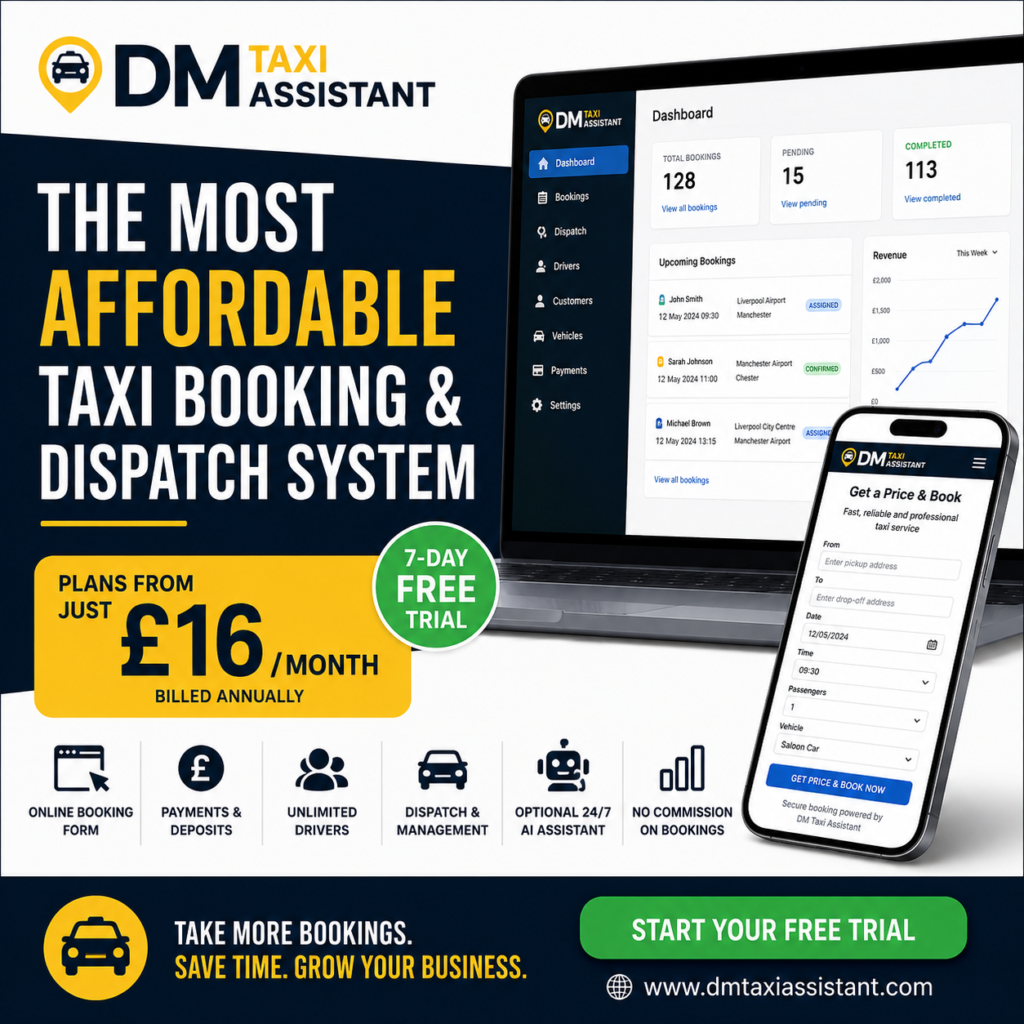
This is where DM Taxi Assistant can be connected to the website.
DM Taxi Assistant can provide taxi and private hire operators with:
- an online booking form
- automatic pricing using the operator’s own tariff
- different vehicle choices
- passenger and luggage details
- return journeys
- online payments
- deposits
- customer enquiries
- booking management
- driver allocation
- dispatch
There is also an optional AI customer assistant that can answer configured questions, provide quotations and help turn website visitors into enquiries or bookings.
Instead of the website simply saying Call for a quote, the passenger can potentially complete much more of the process themselves.
Step 8: Build separate pages for your important services
Do not force every subject onto the homepage.
If you genuinely provide several different services, create useful pages explaining them.
Examples might include:
- Airport Transfers
- Executive Travel
- Corporate Travel
- Wedding Transport
- Long-Distance Transfers
- Cruise Transfers
- 8-Seater Transfers
Each page should contain genuinely useful information rather than two paragraphs written simply because somebody told you SEO requires more pages.
Google recommends people-first content that helps the visitor accomplish what they came to the page to do.
Step 9: Build airport pages
If airport work is important, create individual pages for your major airports.
For example:
- Manchester Airport Transfers
- Liverpool Airport Transfers
- Heathrow Airport Transfers
- Birmingham Airport Transfers
A useful airport page could explain:
- terminals
- pickups
- drop-offs
- meet and greet
- flight tracking
- parking
- vehicle options
- luggage
- booking procedure
Do not pretend you specialise in every airport in Britain if you rarely travel there.
Start with the airports your customers genuinely use.
Step 10: Create route pages for profitable journeys
Route-specific searches can be particularly valuable.
A customer searching:
Liverpool to Manchester Airport taxi
is showing much stronger booking intent than somebody searching:
taxi business
If you regularly provide that route, a dedicated page may be worthwhile.
A useful route page can include:
- starting area
- destination
- approximate distance
- typical journey time
- vehicle options
- passenger capacity
- luggage
- airport information
- how to obtain a price
- how to book
- return journey information
- FAQs
Do not simply copy the exact same article 500 times and replace Liverpool with another town.
Google’s guidance is consistently centred around helpful, original content created for people rather than mass-producing pages purely to manipulate search rankings.
Step 11: Use useful page titles
Every important page should have a clear title.
For example:
Manchester Airport Transfers From Liverpool | Smith Travel
is more descriptive than:
Services | Smith Travel
Your title should accurately describe the page.
Do not stuff it with every possible keyword.
Something such as:
Taxi Airport Transfers Cheap Minicab Private Hire Chauffeur Liverpool Manchester Airport Best Taxi
looks poor to customers and is not good SEO.
Google recommends concise, descriptive and unique page titles.
Step 12: Write for customers, not just Google
SEO does not mean repeating the phrase “Liverpool taxi” 50 times.
Write naturally.
Answer the questions actual customers have.
For example:
How much luggage can your estate car carry?
Where will the driver meet me at Manchester Airport?
What happens if my flight is delayed?
Can six passengers travel with six suitcases?
Useful answers improve the website for passengers and also give search engines better context about your service.
Step 13: Add genuine photographs
Where possible, show the actual vehicles and business.
Real photographs can help a customer understand:
- vehicle quality
- passenger space
- luggage space
- company branding
- executive options
- vehicle sizes
Do not mislead passengers by showing a Mercedes V-Class if you cannot actually provide one.
Use sensible image sizes so huge photographs do not make the page unnecessarily slow.
Also use descriptive alternative text where appropriate so images are understandable in context.
Step 14: Show genuine customer reviews
Reviews help reduce uncertainty.
You can include selected genuine customer feedback on the website and also link customers towards your wider review profile where appropriate.
Do not invent testimonials.
A fake five-star review can do more damage to trust than having fewer genuine reviews.
Your website should support your reputation, not manufacture one.
For more on generating direct business and reviews, read:
How to Get More Taxi and Private Hire Bookings
Step 15: Add useful trust information
Passengers are trusting your company with their journey.
That becomes particularly important with:
- airport pickups
- children
- elderly relatives
- business travellers
- late-night journeys
- long-distance trips
Useful trust signals can include:
- real business name
- contact telephone number
- real vehicle photographs
- licensing information where appropriate
- clear booking confirmation
- privacy information
- booking terms
- genuine reviews
- professional email address
Avoid making the business look anonymous.
Step 16: Link your pages together
Internal links help customers discover related information.
They also help search engines understand how pages on your website relate to one another.
For example:
Your Manchester Airport Transfers page could link to:
- Liverpool to Manchester Airport
- Chester to Manchester Airport
- Group Airport Transfers
- Executive Airport Transfers
- Booking page
Your route page could then link back to the main airport page.
Google explicitly recommends linking important pages and using descriptive link text.
Instead of repeatedly writing:
click here
use meaningful links such as:
Manchester Airport transfer prices
or:
book your airport transfer
when that accurately describes the destination.
Step 17: Keep your URLs simple
Good:
yourwebsite.co.uk/manchester-airport-transfers
Less useful:
yourwebsite.co.uk/page.php?id=872947&category=24
A clear URL gives both customers and search engines a better idea of what the page contains.
Do not obsess over changing old URLs that are already working, however.
Changing URLs unnecessarily can create additional SEO work.
Step 18: Connect the website to your Google Business Profile
Your Google Business Profile and website should support each other.
Make sure your profile uses the correct website address.
Your website should also contain accurate information consistent with the business profile, including:
- name
- contact information
- location or service information
- services
Avoid conflicting information across the web.
Step 19: Use Google Search Console
Once the website is live, Google Search Console is one of the most useful free tools available.
It can show:
- searches that generated impressions
- pages appearing in Google
- clicks
- average search positions
- indexing problems
This information can help you discover opportunities.
For example, you may notice your website appearing frequently for:
8 seater Manchester Airport transfer
but receiving few clicks.
That could tell you that creating or improving a dedicated page around that service is worth considering.
Do not guess forever.
Use actual search data once you have it.
Step 20: Keep important information updated
A taxi website can quickly become inaccurate.
Check it regularly for:
- old prices
- outdated airport charges
- vehicles you no longer offer
- wrong telephone numbers
- broken booking links
- expired promotions
- changed service areas
- outdated terminal information
Useful content should remain useful.
Google’s guidance also advises site owners to focus on reliable, people-first information rather than simply changing page dates to make old content appear new.
Step 21: Do not create pages just to make the website bigger
More pages are not automatically better.
Ten useful pages can be far more valuable than 1,000 thin pages.
Every page should ideally have a reason to exist.
Ask:
Would a potential customer genuinely find this page useful?
If the answer is no, think carefully before publishing it.
Google specifically warns against creating large quantities of content primarily to attract search-engine visits.
Step 22: Add a blog or useful guide section
A blog can support the main commercial pages when it answers real passenger questions.
Useful subjects might include:
- Manchester Airport pickup guide
- Heathrow terminal drop-off charges
- How early should I leave for the airport?
- How much luggage fits in an 8-seater?
- What happens if my flight is delayed?
- Travelling to the airport with young children
- Airport meet-and-greet explained
The blog article can then naturally link towards the relevant booking page.
The aim is not to publish random articles simply because “Google likes blogs”.
Publish information that relates directly to the customers you want.
Step 23: Measure bookings, not just website visitors
Traffic is useful.
Bookings pay the bills.
A website with 500 highly relevant visitors who generate 40 bookings may be more useful than one receiving 20,000 irrelevant visitors.
Monitor things such as:
- quote requests
- confirmed bookings
- telephone calls
- booking-form completion
- profitable routes
- repeat bookings
SEO should ultimately support the business, not become a competition to see who can produce the largest traffic graph.
Step 24: Make the website part of a bigger booking system
The strongest setup is not:
Website → customer reads → leaves
It is:
Customer searches Google
↓
Finds useful website page
↓
Understands your service
↓
Sees genuine trust signals
↓
Gets a price
↓
Books
↓
Booking enters your management system
↓
Driver is allocated
↓
Journey is completed
↓
Customer leaves a genuine review
↓
Customer books again
That is how a website becomes a working part of the taxi business rather than just an online leaflet.
The simple DM setup
For operators who do not want to build all of this technology themselves, the setup can be extremely straightforward.
DM Site Builder
↓
Creates the customer-facing website.
↓
DM Taxi Assistant
↓
Provides pricing, enquiries, online booking and dispatch.
↓
Customer
↓
Finds → Quotes → Books → Travels → Returns
You still remain responsible for the appropriate licences, insurance, fares and legal requirements affecting your own operation.
The technology simply helps you run and market the business.
Taxi website checklist
Before considering your website finished, check:
- Business name is clear
- Main service is immediately obvious
- Location is clear
- Telephone number works
- Website works properly on mobile
- Booking button is easy to find
- Quote process works
- Main services have useful pages
- Important airports have useful pages
- Valuable routes have individual pages where justified
- Page titles are descriptive
- Content is genuinely useful
- Vehicle information is accurate
- Passenger and luggage capacity is realistic
- Genuine reviews are visible
- Terms are available
- Privacy information is available
- Internal links connect related pages
- URLs are readable
- Google Business Profile links correctly
- Search Console is connected
- Booking form has been tested
- Payments work
- Old information is removed
- Website is reviewed regularly
What should you read next?
This guide forms part of the DM News taxi and private hire business series.
Also read:
How to Start a Taxi or Private Hire Business in the UK
How to Start an Airport Transfer Business in the UK
How to Get More Taxi and Private Hire Bookings
How to Become a Private Hire Operator in the UK
If you do not yet have a website, DM Site Builder can create a free mobile-ready taxi, private hire, chauffeur or airport-transfer website.
And when you are ready to turn website visitors into actual bookings, DM Taxi Assistant provides online pricing, booking, payments and driver dispatch.
A successful taxi website does not need to be complicated.
It needs to help the right customer find you, understand you, trust you and book you.
Thanks for visiting DM News! If you’ve got a question, a story tip, or anything you’d like to share, head over to DriverMatty.com� — I love to hear from you. While you’re there, don’t forget to check out my other websites and social media channels.
Sources
SEO Starter Guide — Google Search Central
Google Search Essentials — Google Search Central
Creating Helpful, Reliable, People-First Content — Google Search Central
Understanding Page Experience in Google Search Results — Google Search Central
Influencing Your Title Links in Google Search — Google Search Central
Get Started With Search: A Developer’s Guide — Google Search Central